

Earlier this month Google rewrote part of its rules for Google Maps, and they now spell out what a business can and can’t put on its own Business Profile. Search Engine Roundtable spotted the change on 6 October.
At the same time, Google is telling businesses that their profile helps them show up in its AI answers.
Your profile feeds Google’s AI
Google’s own guide to appearing in its AI features says AI answers can include information about local businesses, and that Google Business Profiles can help your services show up in AI answers as well as normal search results. My reading is that when someone asks Google’s AI Mode for a plumber or a solicitor nearby, your profile is one of the places it can draw on.
Claudia Tomina, who writes about local search for Search Engine Land, summed up where this is heading in a rundown of the new things Google’s Ask Maps can do. Your listing is no longer just something people read. As she put it in Whitespark’s latest quarterly roundup, “Now it’s data an agent acts on.”
A complete profile still counts too. In August, Darren Shaw of Whitespark published a study of 1.8 million profiles. Going from 0 to 5 on Whitespark’s completeness index went with an average ranking about 19 places higher, and three times the chance of appearing in the top ten. That’s a correlation rather than proof, but it points the same way.
What Google says you can’t put on your profile
Google’s Maps content policy now has a section just for business owners. It says the listing itself shouldn’t contain promotional content with time limited offers, prices or direct calls to action. Think “20% off until Friday” or “Call now for a free quote” sitting in your business description.
Posts are treated differently. Offers and updates are still allowed there, but you can’t include email addresses, phone numbers, social media links or links to websites that aren’t related to your business.
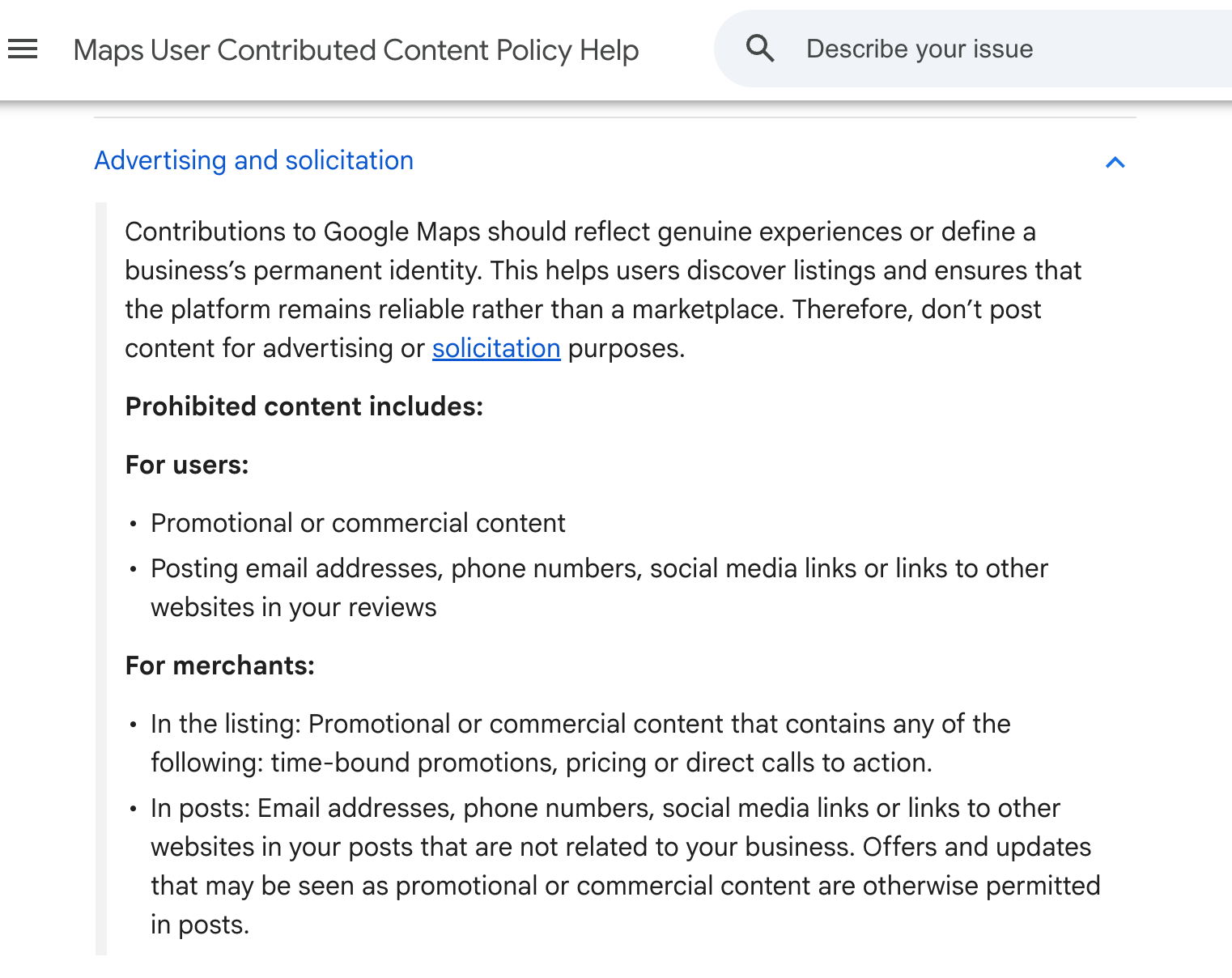
I’d read the bit about prices carefully. Google’s own help page on editing your profile says its Services Editor is there to keep your services and their prices accurate. The same page tells you to keep your description about your business rather than promotions, prices or sales. My reading is that an accurate price list in your Services section is fine, while a sales pitch with a price in your description isn’t. I can’t find an enforcement date anywhere, but I wouldn’t wait to find out.
There’s a second change to posts. Since late September, Google’s help pages have said it may remove posts with unverified contact details, including phone numbers, email addresses and social handles. So a post with a phone number in the text could be rejected if Google can’t link that number to your business.
A new tab worth a look
Google sometimes checks your details by sending an automated call, text or WhatsApp message to the verified phone number on your profile. Any answers you give can then be used to update your profile. There’s now a Collected info section that shows what Google has gathered, where it came from and when, and lets you delete it. Google says it’s only available in some regions, languages and business categories so far, so you may not see it yet.
Your ten minute tidy up
- Your description. Open your profile, select Edit profile and read your description. Take out any offers, prices or lines like “call today” or “book now”.
- Your services. Prices in the Services section are fine if they’re accurate. Remove anything that reads like a time limited deal.
- Your posts. Check recent posts for phone numbers or email addresses typed into the text. Google’s help points you to adding extra phone numbers to your profile, so if you use a different number in posts, add it there first or take it out.
- Collected info. If you can see it under Edit profile, check what Google has picked up and delete anything that’s wrong. Deleting it doesn’t change details already on your profile, so fix those through Edit profile too.
- Your category and attributes. Choose the most specific main category that fits, then fill in every attribute that applies. As Joy Hawkins of Sterling Sky puts it in Shopify’s guide to Business Profile, “Make sure you add all the appropriate attributes to the profile.”
- Your offers. If you’ve got a real deal running, put it in a post, where Google still allows it.
What else is on the way
Google has also started a closed beta of Google Business Home, which brings your Business Profile, Merchant Center, YouTube and Ads accounts together in one place. For now it’s only open to selected business categories in the US and the UK. I’ll keep an eye on it.
Need a hand?
Your Business Profile costs nothing, but keeping it within Google’s rules takes a bit of attention. If you’d rather someone else looked after it, my Google Business Profile management starts at £79 a month, and I’ll do a free audit first.
You might also like my posts on why your free listing is losing its call button and why your business details need to match everywhere.